Sensitive information is part of your work.
Find your workflow, then explore the situations that matter to your profession.
AI prompts & documents
Prepare a prompt from a file, a client record or a code excerpt.
Explore the scenarios02Emails before sending
Review sensitive information before an Outlook message leaves your device.
Explore the scenarios03Spreadsheets before sharing
Inspect and mask a worksheet before an export or a handover.
Explore the scenarios04Screen sharing & support
Keep sensitive values masked in supported web pages during a meeting.
Explore the scenariosThese supplied visuals illustrate use cases, not actual product screenshots or customer results. The artwork is in French. Features depend on the platform and plan; review the proposed protection before sending or sharing.
AI prompts & documents
Prepare a prompt from a file, a client record or a code excerpt.
For supported browser-based AI services. Native AI desktop apps are outside this workflow. Detection varies by field; personal terms may be needed for names and internal references.
Free · Plus for unlimited personal terms
DevelopersShare logs without sharing secretsCheck code excerpts and logs for credentials before pasting them into a supported AI service.

DPO & privacy teamsMinimize data in a compliance promptReview contact details and identifiers in a register excerpt. Technical masking supports, and does not replace, your privacy assessment.

HR & recruitmentPrepare a CV for an AI-assisted reviewReduce unnecessary exposure of candidate contact details and identifiers, and review the protected text before sending.

Lawyers & legal teamsPrepare a contract excerpt for reviewReview client details and case references before requesting a summary. Add personal terms for references specific to your practice.

Healthcare professionalsReview a patient-file excerpt before sendingInspect identifiers in the excerpt you intend to share. Check the remaining medical context and decide what can be sent.

PharmacistsPrepare a patient-exchange summaryReview names, contact details and patient references before using a supported AI service to work on an exchange.

AccountantsReview accounting documents before an AI promptLook for bank details, email addresses and invoice references in the text you plan to send.

JournalistsReview interview notes and source detailsInspect an excerpt for contact details and add personal terms for source names before requesting a summary.

Social workers & CPASPrepare a social-file excerptReview beneficiary identifiers and case references. Check contextual details that could still identify a person.

Public representativesPrepare citizen correspondence for a summaryReview names, addresses and case references before working on correspondence with an AI assistant.

Leadership teamsReview strategic material before sharingDefine personal terms for projects, clients or internal references, then review the proposed masking before sharing text.

Teams preparing an auditPrepare an audit responseReview company names, client references and contact details in an excerpt before requesting help with a draft response.

AuditorsReview evidence and findings before an AI promptInspect identifiers in a report excerpt and add terms for confidential references. Review what remains before sending.

Emails before sending
Review sensitive information before an Outlook message leaves your device.
Outlook web is included in Plus. Supported desktop Outlook workflows use the Pro add-in. Follow the installation guide for your version.
Plus for webmail · Pro for desktop Outlook
Outlook usersCheck sensitive details before an email leavesReview detected contact details, bank details and personal terms in the supported email workflow, then choose how to send.

Spreadsheets before sharing
Inspect and mask a worksheet before an export or a handover.
Excel uses Pro. Reversible display masking and permanent file masking serve different purposes. Review exported files before sharing.
Get Proxia for Excel on Microsoft Marketplace
Finance & operationsPrepare a worksheet for sharingAnalyze a sheet, mask selected cells or columns and review the result. Choose permanent masking for a file you will distribute.

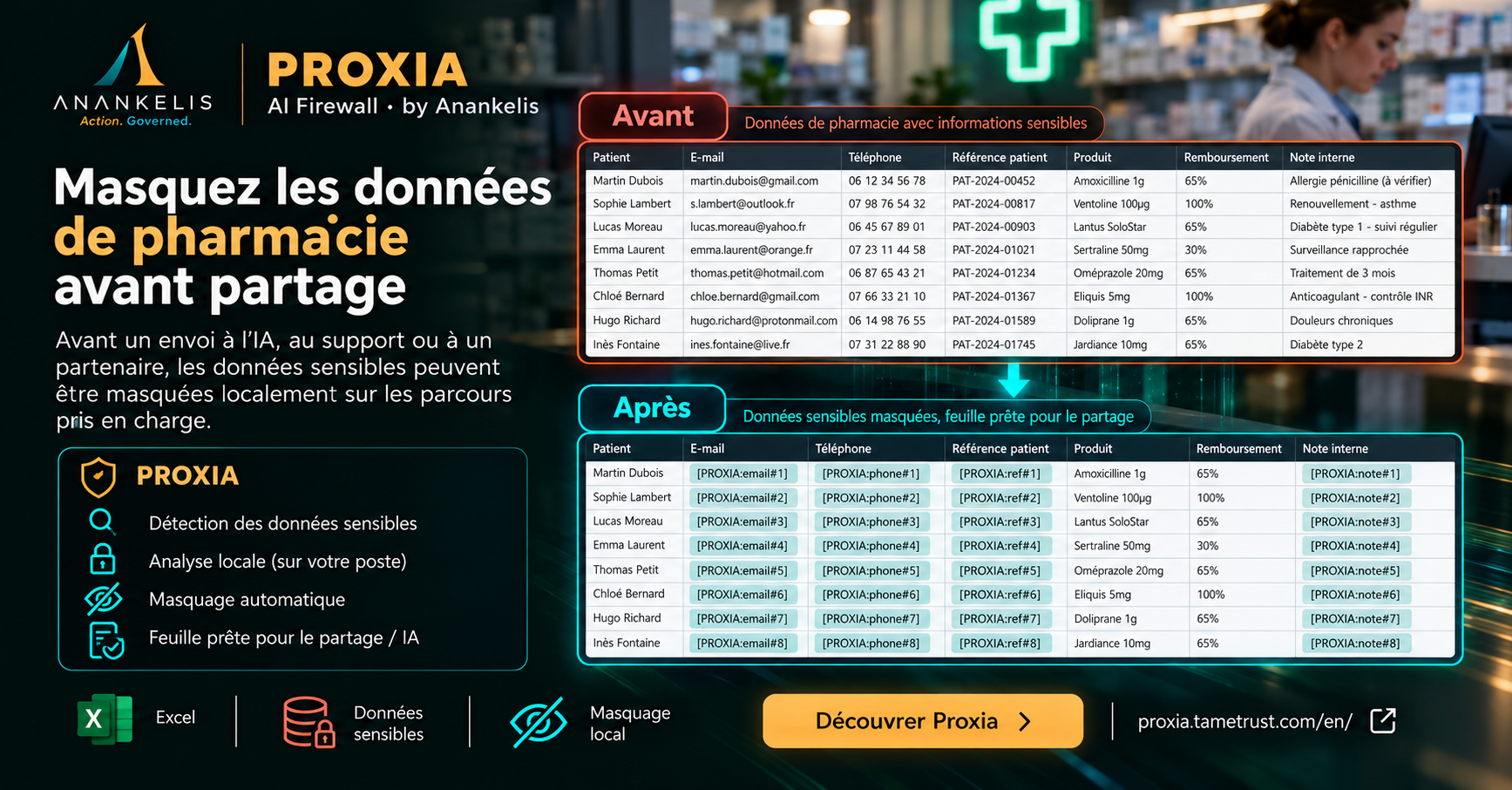
Pharmacy teamsReview a pharmacy export before sharingInspect patient references and contact columns in Excel. Review names, notes and medical context as well as detected fields.
Screen sharing & support
Keep sensitive values masked in supported web pages during a meeting.
Display masking is included in Plus on supported web pages. It does not mask every desktop application or remove sensitive data from the underlying document.
Meetings & remote supportReview the view your audience will seeEnable display masking on a supported web page, check the visible result and then share that view.

Outlook web & supportMask a webmail view before screen sharingCheck the visible email view before a screenshot or support session. The recipient sees the image you choose to share.